
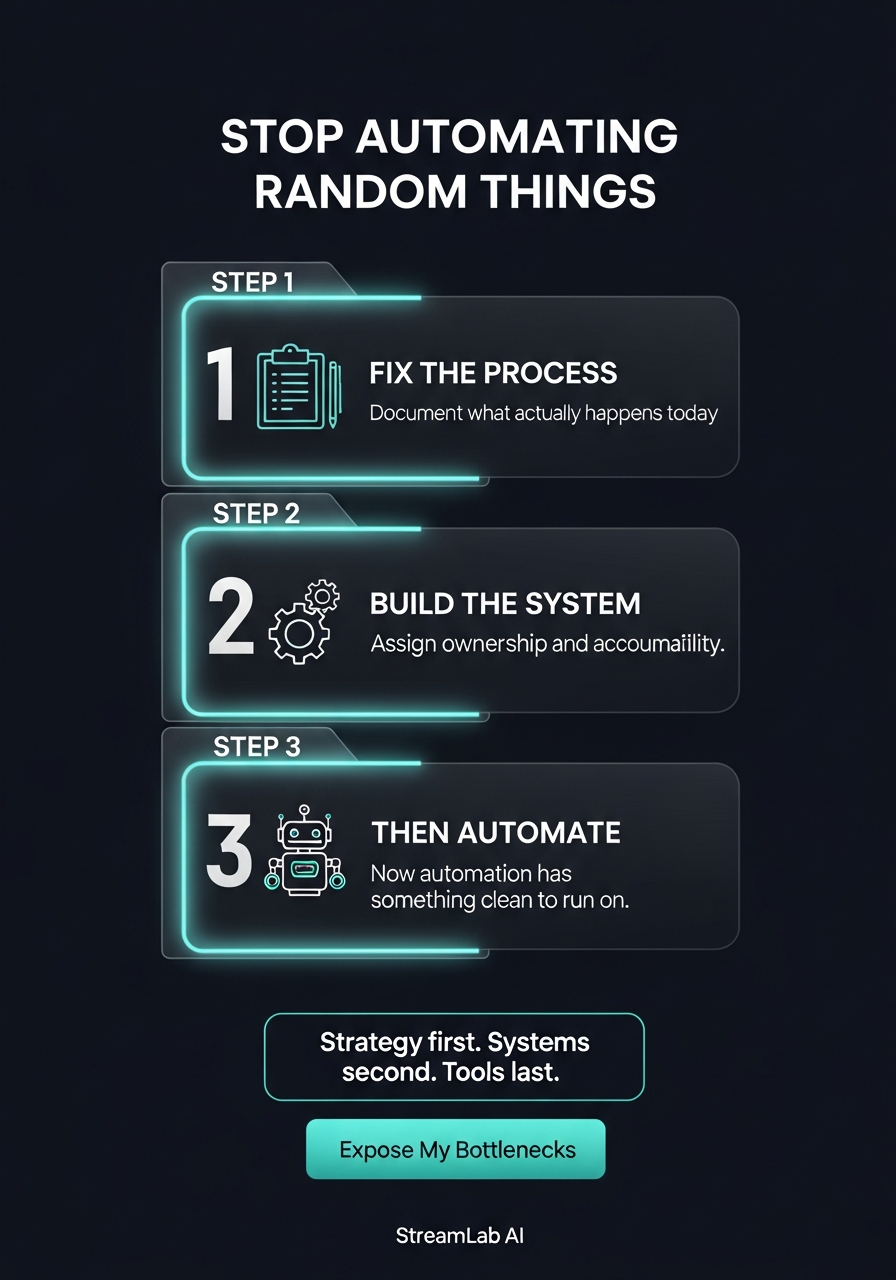
TL;DR: Most founders automate broken processes, which makes them break faster. Before you pick a tool, answer 3 questions: Who does this? When? What fails? Then prioritize by time cost, error frequency, and revenue impact. Process clarity comes before systems. Systems come before tools.
The Automation Trap: Why Most Founders Build the Wrong Thing First
You’ve seen it happen. A founder watches a YouTube demo of an automation platform, gets excited, and decides to automate their follow-up sequence. They pick the tool, map out the workflow, set it to run, then ghost it for three months. When they check back in, deals are dead and they have no idea why.
The problem isn’t the tool. The problem is they never asked what they were automating.
Most founders chase the tool before they understand the process. They assume that speeding up a broken system makes it work better. It doesn’t. It makes it break faster, louder, and in ways that are harder to debug.
Automation amplifies whatever you’re automating. The good and the bad. If your follow-up process has no consistent owner, no clear timing, and no clear next step when something goes wrong, automating it doesn’t fix those problems. It hides them until you’re losing deals at scale.
The founders who win at automation ask a different question first: What should we be doing? Not “What tool should we use?”
The 3 Questions to Answer Before You Automate Anything
Before you open a single tool, sit down and answer these three questions. Write down the answers. If you can’t answer clearly, the process isn’t ready to automate.
1. Who owns this?
Who is responsible for this process right now? Not “who helps,” not “who touches it sometimes.” Who wakes up responsible for it? If you can’t name one person, the process isn’t clear enough to automate. Automation without ownership is just a bot doing things in the dark.
2. When does this happen?
What triggers this process? Is it “whenever a lead comes in”? “Every Monday morning”? “After a proposal is sent”? Be specific about the timing and the trigger. Vague timing creates vague automation. Vague automation creates surprises.
3. What happens if it doesn’t happen?
What’s the cost of this task falling through the cracks? Is it a deal lost? A customer upset? A deadline missed? The higher the cost, the higher the priority for automation. But you need to know the cost first.
If you can answer these three questions clearly, the process is a candidate for automation. If you’re still fuzzy on the answers, you need process clarity before you touch a tool.
The Right Order: Process, Then Systems, Then Tools
Most founders skip steps. They go straight from “this is annoying” to “let me buy a tool.”
Here’s the order that actually works:
- Process: Map what’s happening now. Write down every step, every decision point, every person involved. Don’t optimize yet. Just document reality. What are people actually doing?
- System: Design what should happen. Now that you see what’s happening, what should happen instead? Where do decisions go? Who owns each step? What’s the success criteria? This is where you fix broken logic.
- Automation: Pick the tool that fits the system. Only after you know what the right process and system look like, go find the tool that automates it. The tool doesn’t decide your process. Your process decides which tool you need.
Most founders reverse this. They pick the tool first, then try to fit their process into it. That’s backwards. Tools are the last step, not the first.
What to Automate First: A Prioritization Framework
Not all repetitive tasks are equal. Some save you an hour a week. Some save you a deal a month. Here’s how to pick what to automate first.
Score each candidate process on three dimensions:
1. Time Cost (hours per month)
How many hours does this task cost you or your team per month? If it’s less than 5 hours a month, it’s not worth automating yet. If it’s 20+ hours, it’s a candidate.
2. Error Frequency (failures per 100 attempts)
How often does this task fail or get done wrong? High error frequency means high leverage for automation. You’re not just saving time, you’re improving quality.
3. Revenue Impact (direct or indirect)
Does this task directly affect revenue? If yes, it gets higher priority.
Score each one 1-10 on each dimension, then multiply. The highest score is your first automation target.
| Process | Time Cost | Error Frequency | Revenue Impact | Total |
|---|---|---|---|---|
| Lead follow-up | 8/10 | 7/10 | 9/10 | 504 |
| Invoice reminders | 6/10 | 8/10 | 7/10 | 336 |
| Team standup notes | 5/10 | 3/10 | 2/10 | 30 |
Lead follow-up wins. Automate that first.
What NOT to Automate (And Why)
Some processes shouldn’t be automated. At least not yet.
Don’t automate judgment calls. If the process requires a human to decide between two different paths based on context or nuance, automation will break it.
Don’t automate before the process is stable. If you’re still changing the process every week, automating it is waste. Wait until it’s been consistent for at least a month.
Don’t automate relationship-heavy tasks. A mass email from an automation platform reads like a mass email. A personalized message from a human reads like a human thought of you. Don’t lose that.
Don’t automate something because it’s easy to automate. Just because a tool makes it frictionless to automate data entry doesn’t mean you should. Automate what saves money or prevents mistakes. Don’t automate just because you can.
Frequently Asked Questions
How long does it take to map a process before automating it?
A simple process takes 30 minutes to map. A complex one takes 2-3 hours. Budget for the conversation more than the documentation. The thinking is the valuable part.
What if I don’t have time to do this?
You can try skipping it. But you’ll spend 10 hours automating something wrong, then 10 more hours fixing it. Spend 2 hours mapping first. It’s the fastest path forward.
Should I automate my entire follow-up sequence or just one part?
Start with one part. Automate the initial send (which is high-volume and low-judgment). Keep the follow-up touches manual until you see how the system performs. Go step by step, not all at once.
What do I do if I can’t map my process because it’s too chaotic right now?
That’s actually the most important signal. If your process is too chaotic to map, it’s too chaotic to automate. You have a clarity problem, not a tool problem. StreamLab AI can scope a marketing automation project around a specific inquiry or follow-up process. Book a marketing call
Leave a Reply