
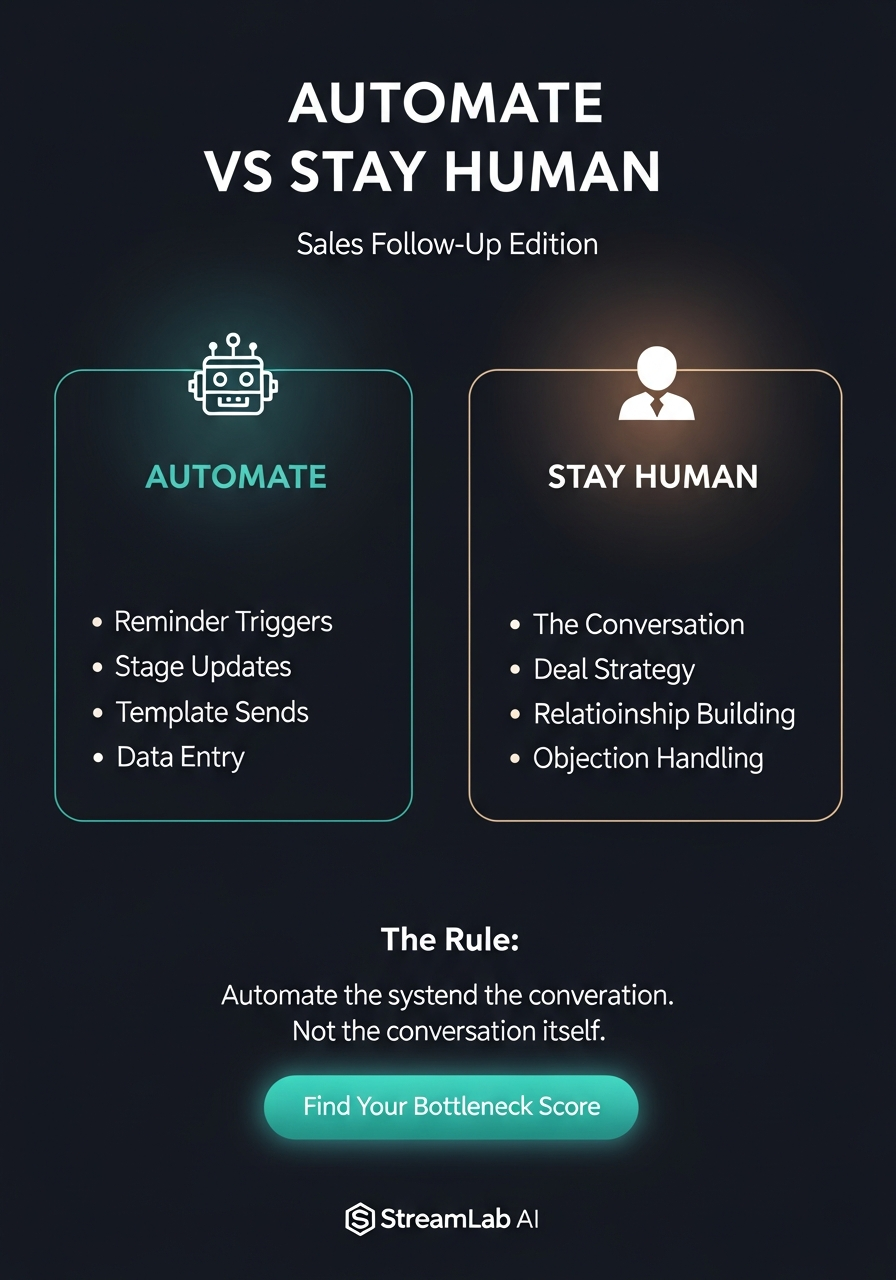
TL;DR: Most founders try to automate the deal itself. That fails. Instead, automate the system around the conversation: reminders, stage updates, template sends, and data entry. Keep the actual conversation, deal strategy, relationship building, and objection handling human. The rule: automate the system, not the conversation.
Why Founders Automate the Wrong Part of Sales
You’ve seen it happen. A founder sets up a workflow, watches a template email go out at exactly the right moment, and thinks: “Perfect. This scales.”
Then the deal dies.
The template doesn’t land. The prospect doesn’t reply. No one knows why because no one was paying attention to the actual conversation. And because there’s no relationship built in, no context shared, no back-and-forth troubleshooting the real objection, the deal just evaporates.
This happens because automation tools make it easy to automate the wrong thing. They’re built to send emails, trigger sequences, update fields. So founders assume that’s where the leverage is.
It’s not.
The leverage in sales is the conversation. The back-and-forth. The moment a prospect says “we’re not ready” and you know exactly which pain point to address. The deal strategy. The relationship that survives a six-month sales cycle. Objection handling that closes a deal because the prospect trusts you.
Automation can’t do those things. It shouldn’t try.
The Split: What to Automate vs What Stays Human
Here’s the rule that works:
Automate the system around the conversation. Never automate the conversation itself.
| What to Automate | Why | What Stays Human | Why |
|---|---|---|---|
| Reminder triggers | You won’t remember to follow up at the right time | The actual conversation | Relationships live here |
| Stage updates | Data entry is friction, not value | Deal strategy | This requires context and judgment |
| Template sends (first touch) | Eliminates low-value manual work | Conversation flow | Each deal is different |
| Data entry into CRM | Saves 20+ hours per month | Objection handling | This is where deals close |
| Lead scoring signals | Objective, repeatable, no judgment needed | Relationship building | Trust can’t be automated |
Notice the pattern: automate anything that’s repeatable and doesn’t require judgment. Keep anything that requires context, relationship, or strategy human.
Automate These: The Four Layers
1. Reminder Triggers
Your sales team should never have to remember when to follow up. That’s what automation is for.
Set up workflows that remind you: 2 days after an intro call with no reply. 7 days after sending a proposal. 14 days after the last conversation. The day before an agreed follow-up date.
This sounds basic, but most teams don’t do it. Deals fall through cracks because someone got busy. Automation fills that gap.
2. Stage Updates
Every time a deal moves, your CRM should reflect it. But you shouldn’t have to do it manually.
Automate: prospect replies to email, move to “In Conversation.” Proposal sent, move to “Proposal Out.” Agreed next step, move to “Action Pending.”
These are objective triggers. No judgment needed. The less manual work your team does updating the CRM, the more accurate your pipeline is.
3. Template Sends (in Specific Situations)
Not all templates are equal. Some emails should be automated. Others shouldn’t.
Automate: first touch to a cold lead. Follow-up reminder when no reply after 3 days. Post-meeting template confirming what was discussed. Decline template if a prospect isn’t a fit.
Don’t automate: responses to objections. Deal strategy emails. High-value relationship touches.
The difference: automated emails should never be the moment where the deal actually moves. They should be the friction-removing infrastructure around the conversation.
4. Data Entry
Your sales team didn’t take a job to enter data into spreadsheets. Automate it.
Emails received from prospects go to CRM log. Meeting notes get transcribed and saved to deal. Proposal sent date gets recorded automatically. Next agreed date triggers calendar reminder plus CRM update.
Every second spent on data entry is a second not spent building relationships or closing deals.
Keep These Human: Why It Matters
The Actual Conversation
This is the deal. Everything else supports it. A conversation is how you understand what the prospect actually needs, build trust over time, adjust your approach, and surface objections early. A template email can’t do any of this.
Deal Strategy
Every deal is different. A prospect might say “we’re not ready,” but what they mean could be: we don’t have budget approval yet, we’re comparing three vendors, or we’re worried about implementation. If your team doesn’t dig into the actual context, they’ll lose the deal to a competitor who did.
Objection Handling
When a prospect pushes back, it’s not a trigger to send a pre-written response. It’s a signal to think. Objections are usually either real (“we don’t have budget”) or smokescreen (masking a different concern). If your automation responds the same way to every objection, you’ll lose the deal. If your team understands the real concern and addresses it, you’ll advance it.
How to Implement This in 3 Steps
Step 1: Map What You’re Doing Now
List every task your sales team does in a week: calling, emailing, meetings, data entry, follow-up reminders, proposal sending, stage updates, reporting.
Step 2: Categorize by Automatability
For each task, ask: “Does this require judgment or relationship?” If no: it’s a candidate for automation. If yes: it stays human.
Step 3: Automate the High-Friction Items First
Start with what wastes the most time. Usually it’s data entry into CRM (20+ hours per week for a team), reminder triggers, stage updates, and template sends. Don’t try to automate everything at once. Start with one layer, get it right, then move to the next.
Frequently Asked Questions
Won’t automating first touches make me seem impersonal?
A template first touch is fine. Most prospects expect it. What matters is that your team is ready to have a real conversation when the prospect replies. The template isn’t the relationship. The follow-up conversation is.
How do I know which templates should be automated vs. manual?
If the email is a reminder or infrastructure (checking in after no reply, confirming a meeting happened), automate it. If the email is attempting to move the deal forward (addressing an objection, proposing next steps), keep it human.
What if my team says automation takes the humanity out of sales?
They’re right to worry. That’s why you automate the friction, not the conversation. Your team should spend less time on admin so they have more time for calls, emails that matter, and relationship building. Automation doesn’t remove humanity. It removes busywork.
How do I set this up if I don’t have a dev team?
You don’t need one. Most CRM platforms have built-in automation for reminders, stage updates, and template sends. For more complex workflows, tools like n8n, Zapier, or Make can connect your CRM to email, calendar, and data entry tools. If you need implementation help, StreamLab AI can scope the marketing follow-up work after a fit call. Book a marketing call to see where your sales process leaks.
Leave a Reply